
For wedding djs
The DJ CRM, from first inquiry to last dance
A DJ’s job is a timeline and a playlist, not a gallery. Booksui’s DJ pipeline runs inquiry → consultation → proposal → booked → music planning → final details → event day, with the planning meeting as a real phase and the couple’s must-plays and do-not-plays kept on the job.
Your first quote is free, no card. Then from $12/mo, with a 14-day trial.
See it in Booksui
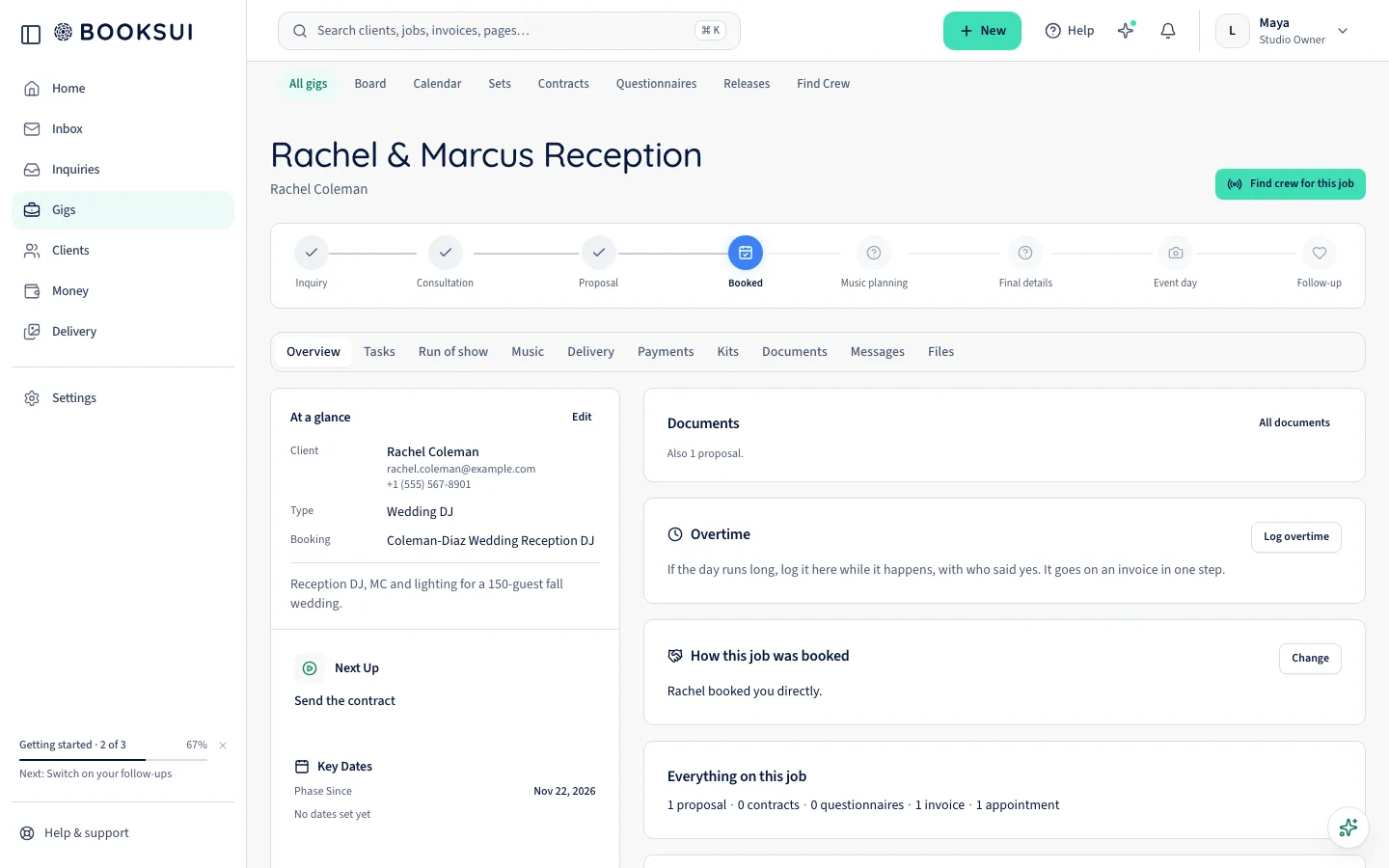
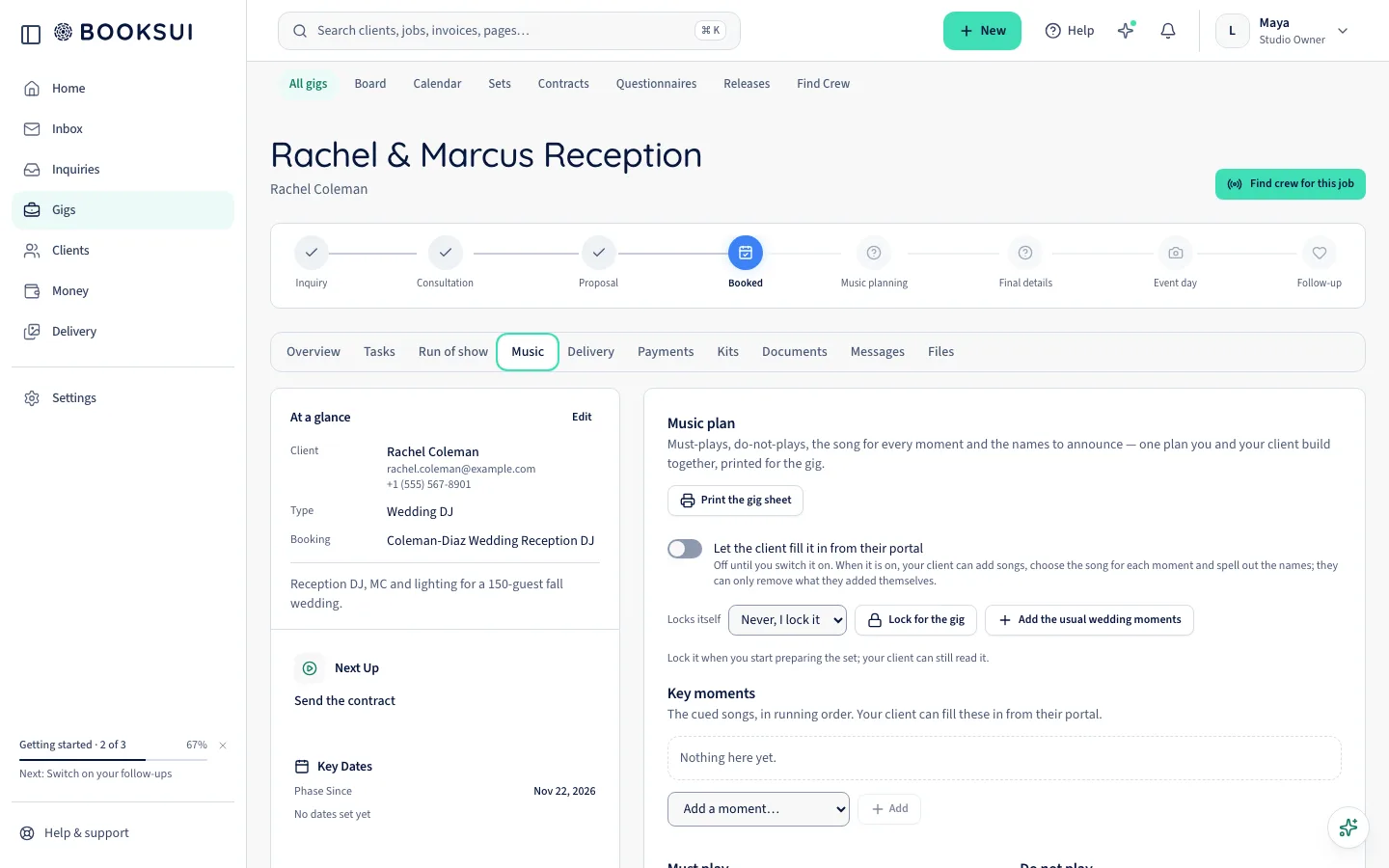
Real Booksui screens. The client, job and studio in them are Booksui’s sample data, not a customer.
The pipeline you get on day one
These are the phases the product installs for your trade, with the first items of each checklist. Rename, reorder or edit them; nothing sends on its own.
- 1
Inquiry
Reply within four hours — DJs are booked on responsiveness · Confirm date, venue, and performance hours · Ask whether ceremony and cocktail sound are also needed
- 2
Consultation
Establish the musical taste, and just as importantly what they hate · Ask how important dancing is relative to conversation · Confirm whether MC duties are expected
- 3
Proposal
Send within 24 hours · State performance hours and the overtime rate up front · Itemize ceremony sound and lighting separately
- 4
Booked
Countersign and confirm the retainer has cleared · Send the venue your certificate of insurance · Confirm load-in access, power, and parking in writing
- 5
Music planning
Collect must-play and do-not-play lists — the second matters more · Confirm the first dance, parent dances, and any cultural traditions · Confirm exact entrance names and phonetic pronunciations
- 6
Final details
Confirm the final timeline with the planner and venue · Confirm load-in window, lift access, and stage or setup position · Confirm power availability at the setup position
- 7
Event day
Arrive with enough margin to sound check before guests arrive · Sound check both the ceremony and reception systems · Confirm the timeline with the planner on arrival
- 8
Follow-up
Confirm the client has everything they were promised · Ask for a review while the experience is still fresh · Request permission to share a photo or clip from the night publicly
Music planning as a phase
A checklist for the planning meeting (first dance, parent dances, entrance, cake, last song, do-not-play list) and a client message that asks for them at the right time.
Contracts and the deposit
An event agreement with overtime, power and setup terms; the deposit paid at signing into your own Stripe.
A music planner the couple fill in
The couple choose the song for each moment, list their must-plays and do-not-plays, and spell out how every name is said, on their phone; the plan lands on the job for the planning meeting and the night.
Final details, once
The week-of phase gathers venue contact, load-in time and the timeline on the job, where the couple’s inbox thread already is.
Cover for a double-booked Saturday
When two couples want the same date, a Crew Call on Find Crew reaches DJs who work in your city or region and are free that day, with the hours and the fee written in.
The venue’s rules before the night
The booked phase asks for the venue’s insurance certificate, load-in, power and parking in writing, and the consultation confirms sound limits and curfew before you quote.
Questions
- Can I keep the couple’s song requests on the job?
- Yes — questionnaires and notes live on the job, and the planning phase asks for them.
- Do you handle overtime billing?
- Overtime is a line item on the invoice; payment goes to your Stripe.
- Is there a trial?
- Yes: sign up with no card and send your first quote free. Then 14 days on any plan with no card, and nothing is charged unless you add one.