
Booksui vs Pixieset · checked 2026-10-07
The Pixieset alternative built for wedding photographers
Pixieset is gallery-first: beautiful delivery, a store, and a Studio Manager added alongside. Booksui starts from the other end (the inquiry, the contract and the job) and delivers through built-in galleries, so the client record runs from first email to final album without changing products.
Your first quote is free, no card. Then from $12/mo, with a 14-day trial.
What you would use in Booksui
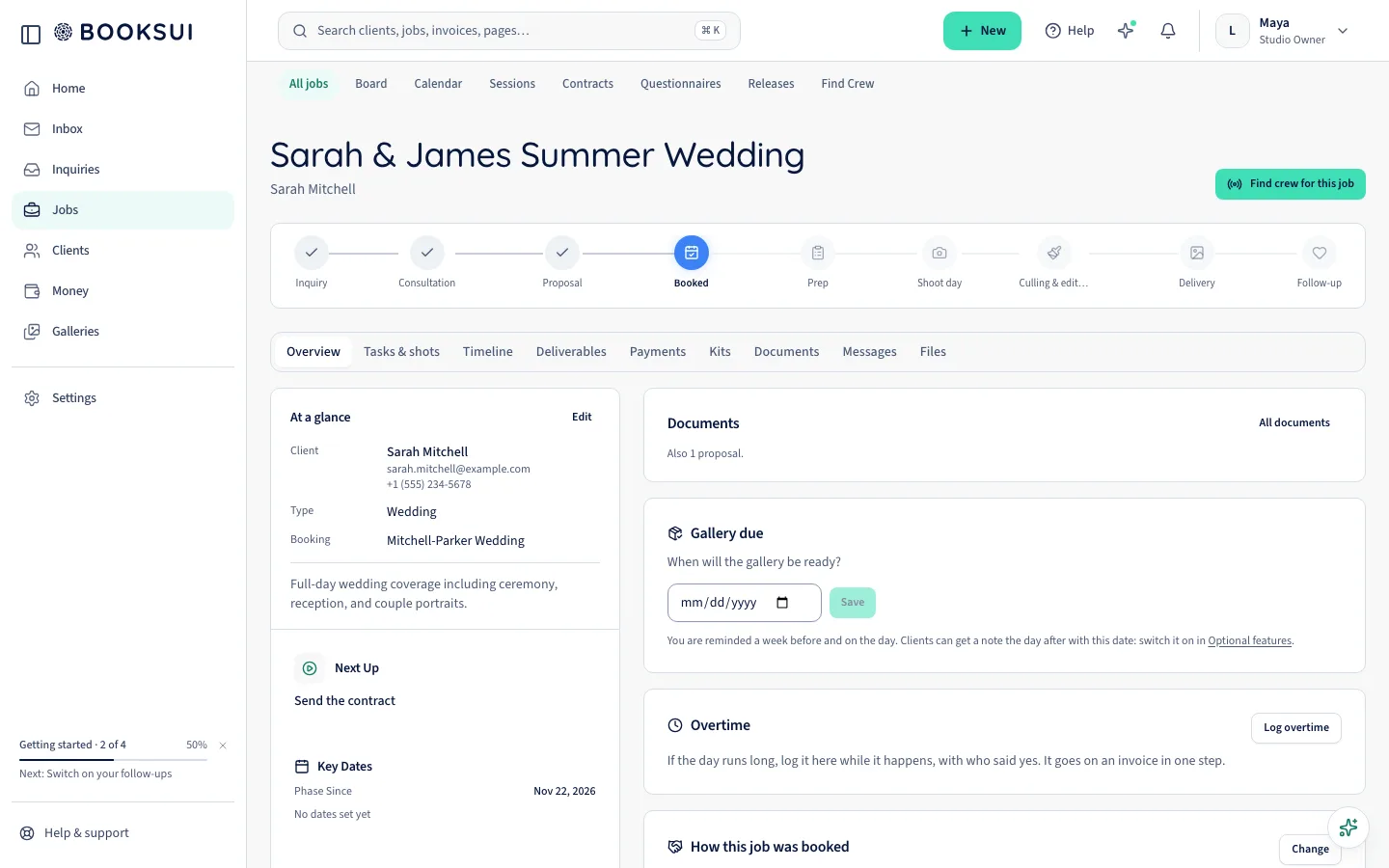
Real Booksui screens. The client, job and studio in them are Booksui’s sample data, not a customer.
Pixieset is known for client galleries and selling to clients for photographers, with a studio-management add-on for contracts and invoices. The table below sets Booksui’s own features next to that, in plain terms.
| Topic | Booksui | Pixieset |
|---|---|---|
| Starts from | The inquiry. Website form → inbox thread → contract → deposit → job → gallery, one record. | The gallery. Delivery and sales first; management pieces added around it. |
| Client galleries | Built in, for photos and video alike: proofing, favorites, downloads and album proofing. Delivery is part of the same job record as the contract and the invoice. | Its core strength) polished galleries, downloads and a store for selling to clients. |
| The inquiry | A shared inbox where a website inquiry, its email replies and private team notes sit on one thread next to the event details, and replies to what you send come back to the same conversation. | Inquiry forms and client email through the studio-management side. |
| Job pipeline | Phases and checklists written for the trade you pick: a photographer’s shoot day and culling, a videographer’s creative brief, post-production and review rounds, a DJ’s music planning, a coordinator’s vendor contracting and event week. | Project management in the studio-management add-on. |
| Payments | Through your own Stripe account. Deposits and balances land in your Stripe, on Stripe’s terms, and Booksui never holds the money. | Store and invoice payments through their payment options. |
| AI | Optional drafts you read before anything sends, in every trade from DJs to planners: a first reply to an inquiry written from your calendar and price list, contract review notes, and, in a photo gallery, search by what is in the frame. Nothing emails a client on its own. | Varies; check their current offering. |
| Price | Starter is $12/mo with no card (2 photo and video galleries, 1 booking page, 10 active inquiries). Pro $29/mo, Studio $59/mo, Agency $129/mo. 30-day refund on your first paid month. | Set by Pixieset and changed by Pixieset; their current pricing page is the only honest source, so this page does not quote it. |
Who switches, and why
- Photographers happy with Pixieset delivery who want the booking side (inquiry, contract, deposit, follow-up) to be as thought-through as the gallery.
- Studios paying for a gallery plan plus a management plan who want one bill and one client record.
- Anyone whose inquiries arrive by email and vanish into Gmail because the tool only sees the form.
What you keep
- Your existing galleries — they stay on Pixieset until you choose to move one, and any you download as a ZIP arrives unpublished, matched to its client.
- Your delivery habits: favorites, downloads and proofing work the way clients expect.
What changes
- New galleries are delivered from Booksui, inside the job, so the contract, invoice and gallery share one client page.
- Inquiry handling becomes a real inbox with context beside the thread.
How the move happens
- 1Export your client list from Pixieset, and download any gallery you want to move as a ZIP.
- 2Import → Pixieset: upload the clients CSV and the ZIPs. Each gallery arrives unpublished and matched to its client.
- 3Deliver the next job from Booksui; leave old galleries where they are for as long as you like.
Importing
Galleries do not need to move on day one. The import wizard has a path for Pixieset, Pic-Time and ShootProof: upload your clients CSV and, if you want them, a ZIP download of any gallery. Each ZIP becomes an unpublished gallery matched to its client, with folders as sections, so nothing goes live until you publish it. Galleries you do not move stay on the old platform.
When Pixieset is the better choice
If delivery and selling to clients are your whole business and you do not need contracts, a pipeline or an inbox (you shoot, you deliver, you sell), Pixieset’s gallery focus is exactly right and Booksui carries more than you need.
Questions
- Do I have to move my existing Pixieset galleries?
- No. Bring across only what you want: the import takes your clients CSV and any gallery you download from Pixieset as a ZIP. New deliveries are built in Booksui; galleries you do not move stay on Pixieset for as long as you keep it.
- What does the inbox do that an inquiry form does not?
- A website inquiry becomes a conversation: the client’s replies come back to the same thread, private team notes sit beside it, and the event date, venue, guest count and stated budget are shown next to the composer while you write.
- Can I import from Pixieset?
- Yes. The import wizard has a Pixieset path: your clients CSV, plus any gallery you download as a ZIP. Pic-Time and ShootProof are supported the same way.
Pixieset’s pricing and feature set are set by Pixieset, change over time, and are worth checking on their own site — this page reflects Booksui’s own features accurately and describes Pixieset in general, well-known terms rather than a line-by-line audit of their current product.